You have an eCommerce business, and it’s growing past its platform. Checkout processes take longer than expected, new integrations require extensive workarounds, and every update creates significant challenges for your development team.
Platform migration for eCommerce is among the highest-risk tasks for digital businesses. If not done correctly, it can destroy years of SEO investment, compromise customer information, and result in months of lost revenue. When executed correctly, platform migration can become a significant growth driver for your business.
This eCommerce platform migration checklist covers everything from pre-migration audits to post-launch stabilization, enabling you to migrate quickly and safely while building a resilient, scalable eCommerce platform.
What is an eCommerce Platform Migration?
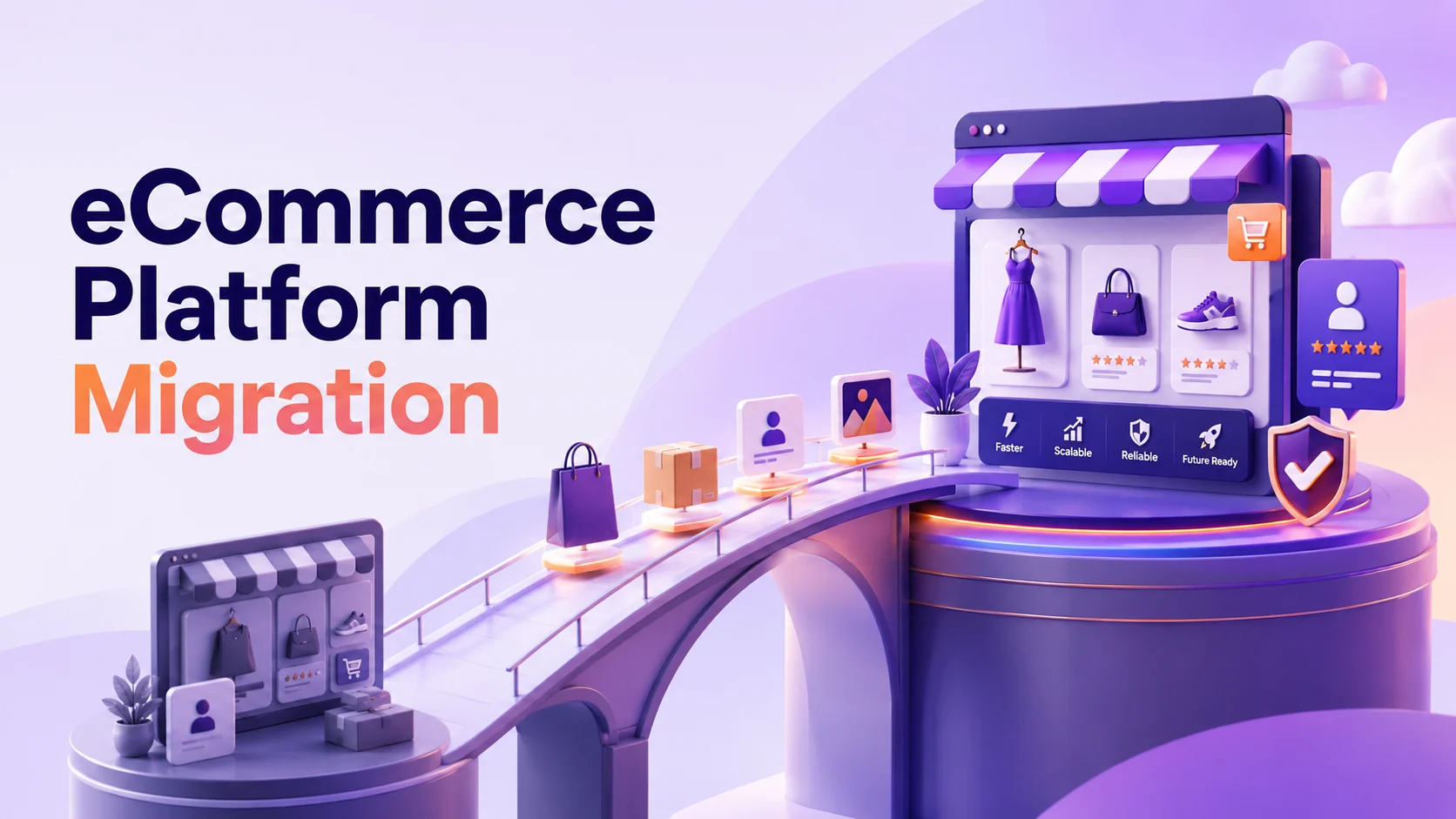
eCommerce platform migration, also called ecommerce replatforming, is the process of moving your entire online store from one technology stack to another. Consider it similar to relocating a full-service warehouse while continuing operations, where inventory, workflows, customer records, and branding assets must move without disrupting business.
Complete migration includes moving products, customers, customer orders, URLs, asset designs, third-party integrations, and seo settings to the new platform. As the size of the store increases, so does the complexity. A 500-SKU store is a completely different migration scenario from a 500,000-SKU enterprise marketplace, and each requires a strategy.
When Should You Migrate? Key Signals
Before getting into the specifics of the replatforming checklist, make sure migration is the correct strategy:
- Your platform cannot reliably handle traffic spikes, resulting in crashes or performance slowdowns.
- Simple features take weeks to develop, rather than days.
- Your ecommerce tech stack is not equipped to handle modern APIs, PWAs, and headless approaches.
- The total cost of ownership (TCO) for licensing, maintenance, and workarounds exceeds the ROI.
- You are expanding into B2B commerce, multi-vendor marketplaces, or international markets that your existing platform cannot adequately support.
The Complete Step-by-Step eCommerce Platform Migration Checklist
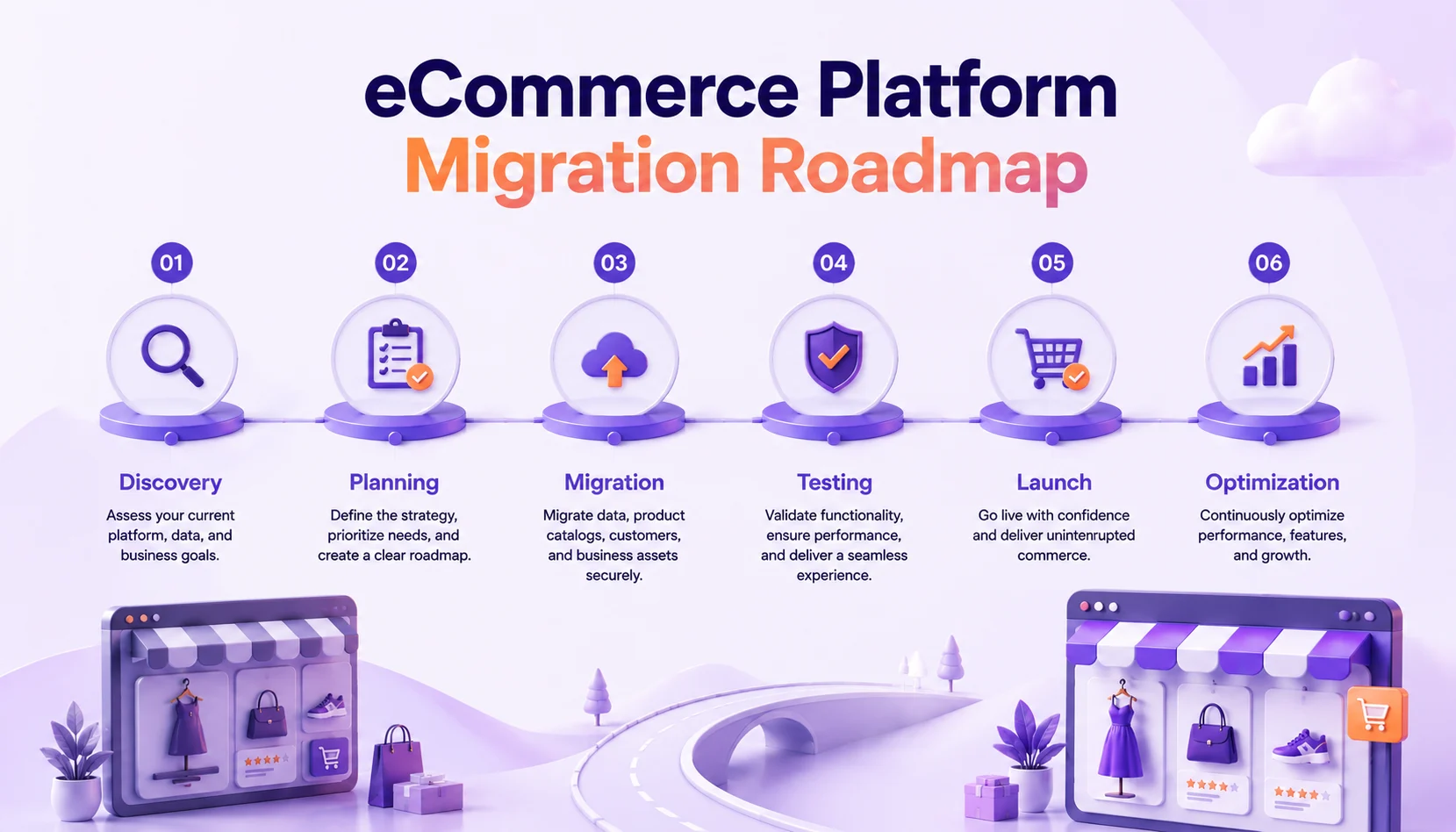
This is a checklist of six steps to migrate an eCommerce platform. Follow the steps in the correct order. The most common cause of migration failures is skipping steps.
Phase 1: Discovery & Audit
1. Audit your existing platform
Record all features, plugins, integrations, and custom code that your store relies on. Establish a list of essentials and desirable features. Connect all external resources, such as ERP, CRM, payment gateways, shipping APIs, and analytics.
2. Define Business Goals & KPIs
Do you need to reduce costs, enhance performance, or gain new sales avenues? Each subsequent decision should align with your business goals. Implement measurable KPIs: Page load speed targets, checkout conversion targets, and uptime SLAs.
3. Choose the right new platform
Look at platforms based on your needs, not just their feature lists. Consider:
- Headless / API-first capability
- Evaluate the platform’s ability to support B2B, B2C, and marketplace business models.
- The TCO level is calculated over 3 years.
- Assess whether the platform can natively manage your current and future SKU volume.
4. Organize Your Migration Team
The following roles are required: a project manager, a technical lead, an SEO specialist, a data migration expert, and a QA engineer. Each role addresses specific risks, and excluding any role can leave critical gaps in the migration process.
Phase 2: Data Mapping & Backup
5. Create Full Data Backups
Make sure to back up your full database, media library, theme files, and configuration exports before doing anything else. Back up in two or more separate locations. Verify backup recovery processes because untested backups may fail during critical recovery scenarios.
6. Map and Clean Your Data
Assign each piece of information from the old platform to the new one: product attributes, customers, order status, and metadata. This is a great time to remove duplicate products, repair damaged product images, and update the category taxonomies.
7. Document All URLs & Redirect Mapping
Export all your full URL structure, each product page, categories, blog posts, landing pages, etc. Map out 301 redirects prior to migration. Unmapped URLs create 404 errors, which can negatively impact organic rankings and traffic.
Phase 3: SEO Preservation
8. Crawl & Benchmark Your Current SEO
Crawl your current website using tools such as Screaming Frog or SEMrush. Document rankings, backlinks, meta tags, schema markup, and Core Web Vitals baselines. These numbers are what you should compare to after migration.
9. Implement Canonical Tags, Sitemaps & Structured Data
Copy over any metadata, descriptions, H1s, and Schema Markup to the new site. On the launch day, refresh your XML sitemap and upload it to Google Search Console. Set canonicals for paginated/faceted navigation.
Phase 4: Build, Configure & Test
10. Set Up the New Platform in Staging
Build your new store in a staging environment, never on the live site. Set up themes, payment gateways, tax rules, shipping logic, and all integrations. Test them one by one before testing them together.
11. Migrate Data to Staging & QA Rigorously
Always run scripts for data migration on staging first. Ensure that product quantities, pricing rules, customer data, and order history are accurate and complete. Do end-to-end testing of all checkout paths, payment methods, and fulfillment processes.
12. Performance Test at Scale
Test at 2-3 times the traffic volume in your staging environment. Verify Core Web Vitals scores. After launch, poor performance can negatively affect both user experience and SEO performance.
Phase 5: Launch & Go-Live
13. Plan Migration during Low Traffic Period.
Schedule your cutover during periods of lowest traffic, typically on Tuesday or Thursday nights. Create a maintenance page on the old site, move the latest data, and swap the DNS records. Keep the legacy platform accessible for 48 hours after launch as a safeguard.
14. Verify All 301 Redirects Are Live
Test each URL that’s mapped using a redirect checker. Verify that there are no chains or loops in your homepage, top category pages, or highest traffic product pages.
15. Inform Google & Watch the crawling process
Add your new sitemap to Google Search Console. To get the important pages indexed, use the URL Inspection tool. Check crawl errors, index coverage, and ranking changes every day for 30 days.
Phase 6: Post-Migration Stabilization
16. Monitor, Measure & Iterate
Monitor conversions, bounce rate, ROAS, and Core Web Vitals every day for the first 30 days. Configure alerts for spikes in 404 errors, declines in checkout completion rates, or failed payment transactions. Weekly comparisons to pre-migration benchmarks are recommended.
Top eCommerce Migration Risks and How to Avoid Them?
The key difference is that mapping out the eCommerce migration risks ahead of the move ensures a smooth transition rather than a pricey crisis. These are the most typical failure points:
| Risk | Severity | Prevention Strategy |
|---|---|---|
| Broken URLs are causing ranking drops | High | Comprehensive 301 redirect mapping + post-launch crawl validation |
| Data loss or corruption during transfer | High | Full backup + staged migration with validated backups and data integrity checks |
| Payment gateway failures after launch | High | End-to-end functional testing of all payment gateways before launch |
| ERP/CRM integration breakages | Medium | API compatibility audit and phased integration rollout |
| Login authentication failures after migration | Medium | Password migration strategy (hash-compatible approach or force-reset flow) |
| Extended downtime during cutover | Medium | Low-traffic migration window + rollback plan |
| Theme or UX inconsistencies affecting conversions | Low | A/B testing of key pages + structured UX QA checklist |
Shopify, BigCommerce & Beyond: Choosing the Right Platform
Not all platforms are right for all business models. Whether you are migrating to Shopify, BigCommerce, or a custom headless architecture, the destination platform should align with your business model:
| Platform Type | Key Strengths |
|---|---|
| Shopify / Shopify Plus | Best for DTC brands; fast time-to-market; rich app ecosystem; limited native B2B functionality, but improving |
| BigCommerce | Strong multi-channel support; open SaaS architecture; robust native B2B tools; lower transaction fees |
| Headless / Composable Commerce | Unlimited frontend flexibility; API-first design; superior performance; ideal for enterprise-grade applications |
| Marketplace Platforms | Built for multi-vendor setups, seller onboarding workflows, and commission management, designed to enable network effects |
When evaluating SaaS ecommerce platform options, it’s important to choose between a pure SaaS and a composable solution to align with your long-term roadmap. For enterprise ecommerce, our list of enterprise ecommerce platforms helps you narrow down the best options for 2026.
Headless commerce architecture separates your commerce backend from the frontend, enabling faster page load times, omnichannel delivery, and complete design freedom for brands exploring headless commerce. While planning the API is crucial for migrating to a headless setup, the benefits in terms of performance and flexibility can be significant.
Why choose SpxCommerce to be your migration partner?
SpxCommerce is a specialized marketplace development platform designed for businesses transitioning to scalable multi-vendor commerce models. When your next platform requires multiple vendors, complex catalogs, seller onboarding processes, and commission-based revenue models, you shouldn’t have to develop the infrastructure yourself.
We help enterprises transition from traditional online stores to revenue-generating marketplace ecosystems. From B2B distributors creating a procurement site to retail brands launching a curated marketplace to enterprise businesses modernizing their aging commerce platform, SpxCommerce can manage the complexity of multi-vendor architecture, allowing your team to concentrate on growth.
Here are some of the essential features of SpxCommerce that make it migration-friendly:
- Out-of-the-box marketplace modules that come with vendor management, order routing, commission engines, and payout workflows.
- You can implement API-first architecture and integrate with your current ERP, CRM, and logistics environment.
- Composable storefront, headless-ready, and framework-agnostic front-end layer for complete design control
- Migration support includes data mapping, redirect management, and enterprise-scale integration guidance delivered by experienced migration specialists.
Conclusion
Migration is not only a technical initiative but also a strategic business transformation. Each of the items in this list is something that someone, somewhere, did not do and suffered the consequences in terms of lost rankings, corrupted data, or lost revenue in eCommerce.
Organizations that successfully execute ecommerce replatforming view migration as a strategic investment rather than a cost center. They document every process, conduct extensive testing, preserve SEO assets, and maintain rollback plans when necessary.
Whether you’re headed to the marketplace or must go there, SpxCommerce is designed for this next step. Delve into how our platform can shorten migration timelines as well as provide multi-vendor functionality that most commerce platforms can’t natively support.