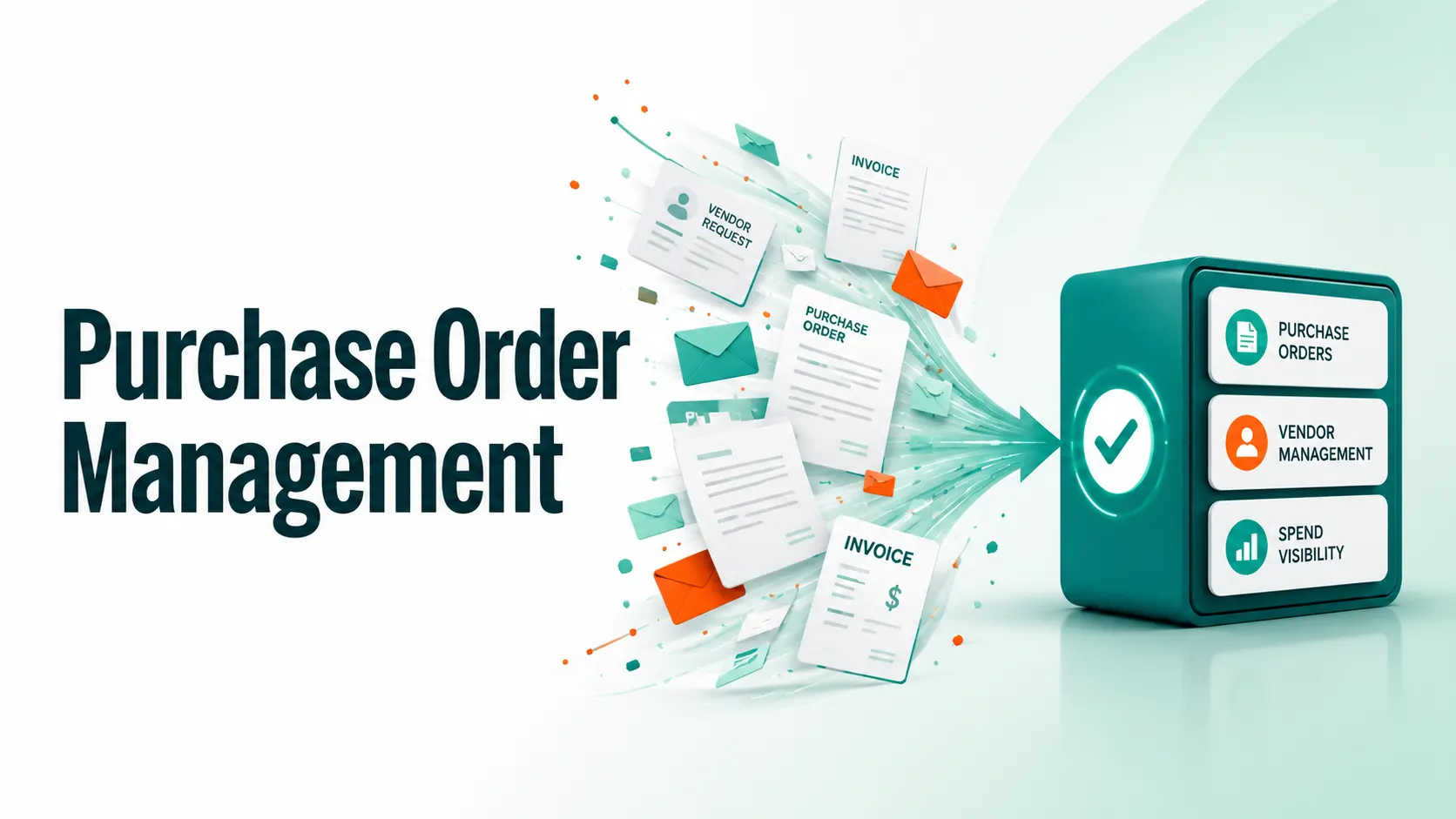
Your supplier receives an incorrect order quantity. Your finance department cannot reconcile an Invoice. A department skips the process of vetting a supplier and is committed to working with one you haven’t vetted.
Sound familiar? Purchase order management is a hidden cost center that can negatively impact margins, fulfillment timelines, and vendor relations across ecommerce and marketplace businesses.
The real challenge is not effort but the lack of a structured procurement process. Even small teams can hit a wall in no time when purchase order information is scattered across spreadsheets, email threads, and siloed tools. Fortunately, this chaos can be turned into a predictable, monitorable, scalable procurement process with a well-designed PO management system.
In this guide, you’ll learn what a purchase order is, how it works, the ideal features to find in your software, and the habits of high-performing procurement teams.
What Is Purchase Order Management?
Purchase order management refers to the end-to-end process of creating, approving, tracking, and reconciling purchase orders (POs) between a buyer and a vendor. A purchase order is a legally binding commercial contract that details the quantity, price, and deadline for ordering goods or services.
A purchase order formalizes the relationship between your procurement team and a supplier, establishes expectations, and protects both parties throughout the transaction. The process is essential in ecommerce, where inventory decisions are time-sensitive and supplier coordination directly impacts operations.
An ERP system for purchase order inventory management is more than just a document generator. It integrate procurement data with inventory, vendor performance, and financial reporting to provide operators with a full view of where funds are going before they are expended.
Step-by-step Process for Purchase Order Management
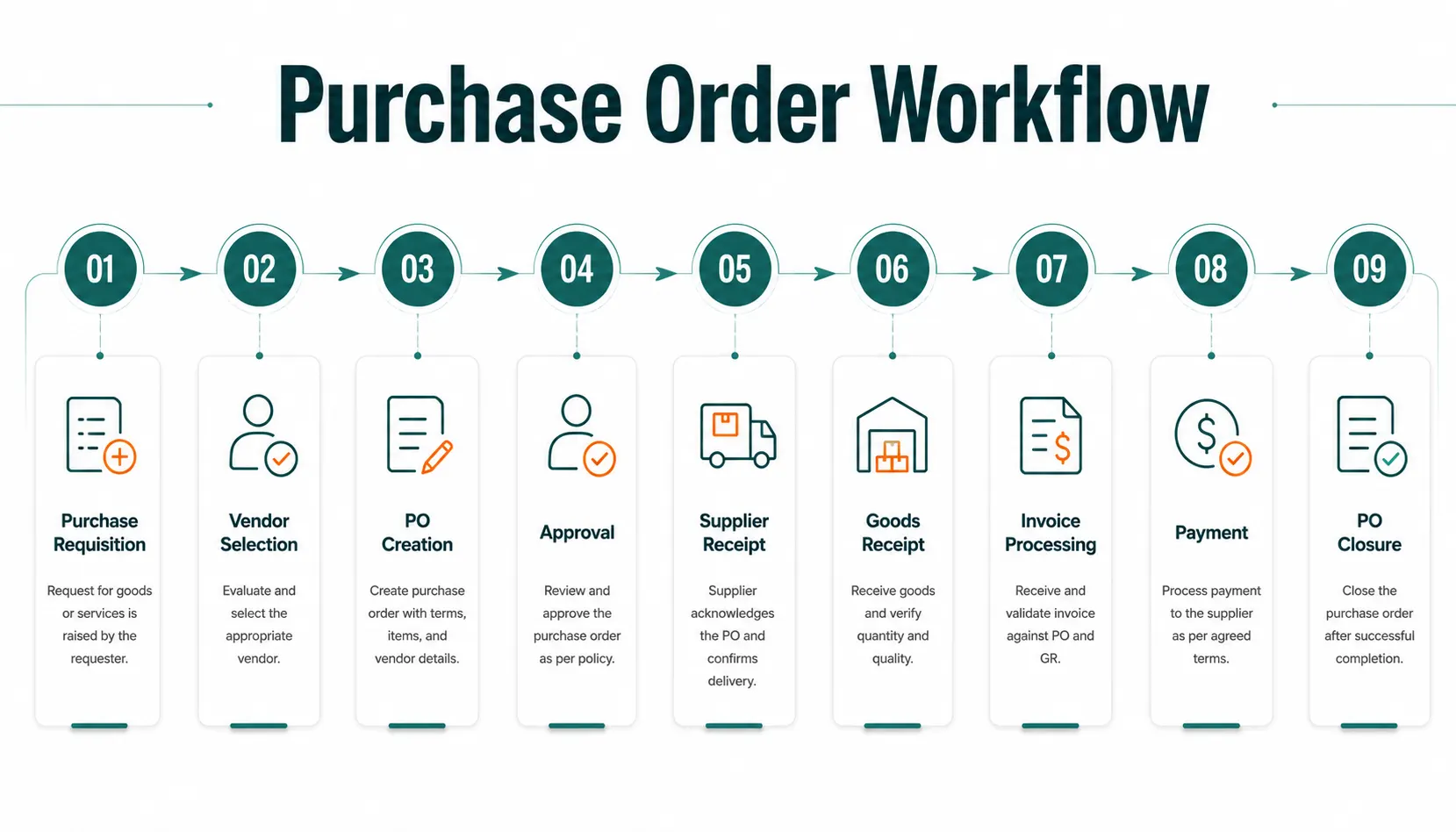
The purchase order process is more complicated than just sending a document to a vendor. Let’s take a look at a proper PO workflow:
1. Purchase Requisition
Someone in a department or team recognizes a need and raises an internal request to buy it. This initiates the formal procurement process and enables budget holders to consider intent before making a vendor commitment.
2. Vendor Selection & Approval
Procurement takes into account the reliability, lead time, and price of qualified vendors. Integration with the Vendor Management System (VMS) guarantees compliance and risk controls are in place before approval.
3. PO Creation
A formal purchase order is produced, containing all essential information, such as item descriptions, quantities, unit prices, delivery dates, payment terms, and shipping instructions. This document is the legal definition of the transaction.
4. Internal Approval Workflow
The PO moves through an automated approval workflow based on spending thresholds, department policies, or project budgets. This is where purchase order management software can eliminate bottlenecks and ensure governance at scale that email cannot.
5. PO Transmission to Supplier
The approved PO is sent to the vendor via EDI, email, or directly through a supplier portal. PO tracking begins when the supplier accepts the PO.
6. Goods Receipt & Three-Way Match
Your warehouse staff checks for the goods’ arrival. A 3-way match is performed to ensure accuracy between the PO, supplier invoice, and goods receipt note (GRN), which is closely tied to your warehouse management system.
7. Invoice Processing & Payment
Successful matching will result in approval of the invoice and scheduling of payment in accordance with the agreed terms. Discrepancies trigger a structured dispute-resolution process rather than lengthy manual follow-ups.
8. PO Closure & Archiving
The PO is closed and archived once it is complete and paid for, as it will be used for audit trails, spend analytics, and future supplier performance evaluations.
What are the Key Components of a Purchase Order Management System?
A robust purchase order management software system normally features the following main modules:
- PO Generation Engine: Automated PO creation from templates that are linked to inventory thresholds or manually requested.
- Approval Workflow Builder: Multi-level workflows with approvals by email and within the app.
- Vendor Database: Centralized supplier information, including pricing history, lead times, and compliance information, typically provided as part of a Vendor Management System.
- Inventory Integration: Stock is synced bi-directionally to trigger POs at predefined thresholds and receive stock updates as soon as they are made.
- Vendor PO Tracking Dashboard: Track purchase orders in real time across every stage, including sent, acknowledged, shipped, and delivered.
- 3-Way Matching Engine: Automated reconciliation of PO, GRN, and invoice to prevent overpayment or payment without delivery.
- Reporting & Analytics: Spend analytics, vendor performance scoring, PO cycle time reports, and budget utilization views.
- ERP / Accounting Integration: Smooth data transfer between your ERP and Accounting systems for intelligent cost of goods sold (COGS) and cash flow forecasting to enable smarter inventory forecasting.
What are the Different Types of Purchase Orders?
Not all purchase orders are created equal. Knowing the proper PO type helps you to organize vendor agreements better:
| PO Type | Best For | Key Characteristic |
|---|---|---|
| Standard PO | One-time purchases with known specs | Fixed quantity, price, and delivery date |
| Blanket PO | Multiple or recurring orders from the same vendor | Fixed pricing for a set period; flexible quantities |
| Contract PO | Long-term vendor relationships | Pre-negotiated terms; individual POs raised per delivery |
| Planned PO | Forecasted or seasonal stock requirements | Delivery dates and quantities are tentative and may change |
The PO types are especially valuable for ecommerce companies that sell through marketplaces, as they significantly reduce repetitive paperwork while maintaining contractually binding.
Best Purchase Order Management Software (2026)
The right purchase order management tools depend on your business model, tech stack, and scale. The following solutions are among the most widely used purchase order management platforms:
| Tool | Best For | Standout Feature | Integration Strength |
|---|---|---|---|
| Coupa | Enterprise procurement | AI-powered spend intelligence | SAP, Oracle, Workday |
| Procurify | Mid-market ecommerce | Mobile-first approval workflows | QuickBooks, NetSuite |
| Zoho Inventory | SMB ecommerce brands | PO + inventory in a single module | Shopify, WooCommerce |
| SAP Ariba | Global supply chains | Supplier network & risk scoring | SAP ERP, third-party ERPs |
| Tradogram | Growing ecommerce teams | Configurable spend limits | Xero, QuickBooks |
| SpxCommerce OMS | Marketplace operators | Unified seller, PO & inventory layer | Multi-channel marketplace integrations |
If you run more than one vendor in your marketplace business, you might find that ecommerce-specific standalone procurement software lacks built-in integration across vendor onboarding, PO issuance, and product management system operations. An integrated platform simplifies procurement, vendor management, and inventory operations within a single ecosystem.
What are the Best Practices in Purchase Order Management?
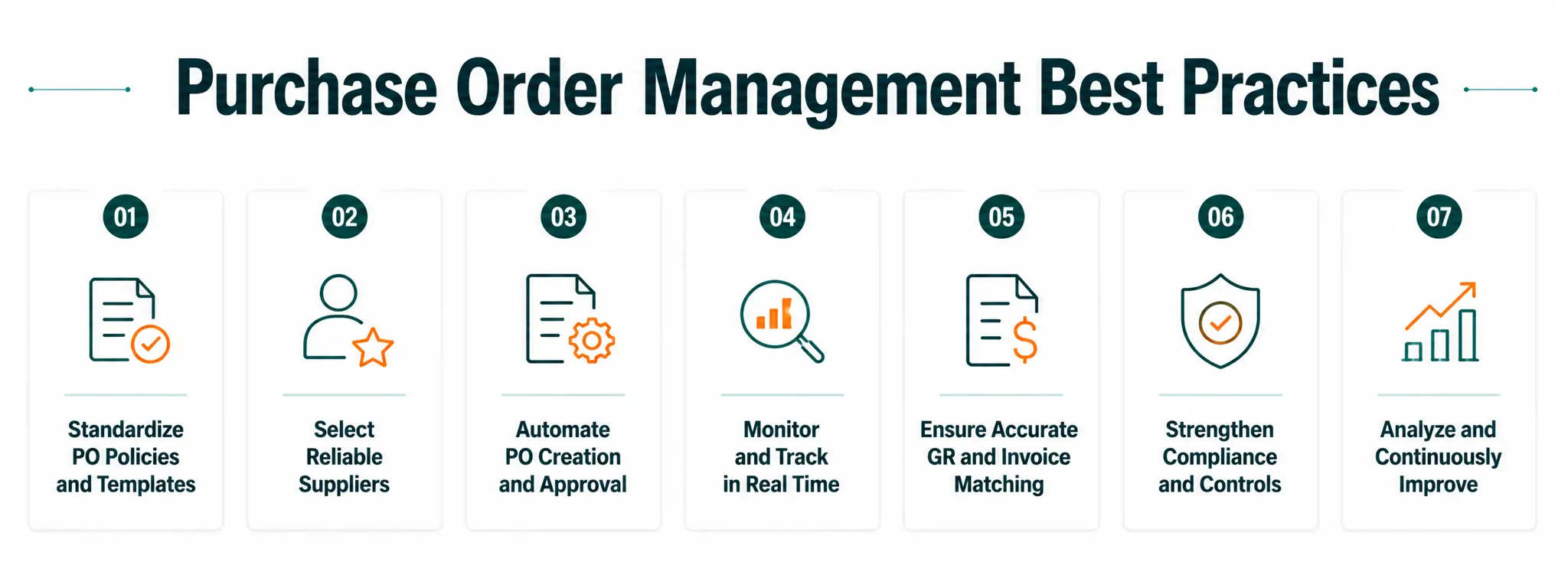
The value of even the top PO management system is limited if the processes are not well designed. These are the practices that highly successful procurement teams use regularly:
1. Standardize Your PO Templates
All POs should include a consistent set of fields: Vendor ID, Item codes, Quantity, Unit price, Delivery address, Payment terms, and Authorization signatures. Inconsistent data often creates reconciliation issues later in the procurement cycle.
2. Implement Spend Thresholds for Approvals
Not all POs require a VP’s signature. Create spend-level approval tiers, such as < ₹50,000 for manager-only and > ₹5 lakh for CFO, etc., to ensure routine orders move quickly and there’s proper oversight for large orders.
3. Automate Reorder Triggers via Inventory Integration
Link your purchase order inventory management solution to reorder-point logic. A draft PO is automatically generated when stock reaches a pre-specified level, thus minimizing both stock-outs and manual monitoring effort. Combined with accurate demand forecasting, this makes it even more explicit.
4. Enforce Three-Way Matching Before Every Payment
Do not skip three-way matching between the PO, GRN, and invoice during payment processing. This practice helps prevent much of the procurement fraud and billing errors.
5. Maintain a Centralized Vendor Database
Once the vendor record is consolidated, all POs will receive accurate, up-to-date information, thanks to contact details, price agreements, delivery SLAs, and compliance documents. This ties seamlessly into your seller management platform, providing a single source of onboarding and transactional information.
6. Track and Score Vendor Performance
Utilize vendor PO tracking information to create scorecards, such as on-time delivery rates, fill rates, invoice accuracy, and defect rates. If a vendor consistently fails to meet expectations, it should be marked during the reordering process.
7. Archive and Audit Regularly
Closed POs don’t have to be “dead data,” they are a compliance and negotiation tool. Periodic audits uncover spending trends, uncover preferred vendor candidates, and help meet tax and regulatory reporting requirements.
How to Find the Right Product Order Management Tool?
Prior to choosing a platform, use this assessment checklist:
Integration with legacy systems:
Will it integrate natively with your ERP, accounting, and warehouse management systems, or will you need to build costly custom connectors?
Multi-vendor support:
Does the system support purchase orders across dozens or hundreds of vendors simultaneously?
Approval workflow flexibility:
Are there multi-level, rule-based approvals available without developer intervention?
Mobile access:
Are approvers able to view and approve POs from their mobile devices? It’s an important factor for companies that work with remote staff.
Reporting depth:
Does it provide real-time reporting on vendor performance data, category-level spend trends, and budget utilization?
Scalability:
Will it be able to support 10x your current PO volume without degradation or at a cost that becomes too high?
Compliance & audit trail:
Are all actions (create, approve, edit, reject) time-stamped and assigned to users, giving a complete and tamper-proof audit trail?
Why Choose SpxCommerce for Your Product Order-Driven E-commerce Operations?
Most purchase order management software was designed for the traditional business-to-business procurement environment, not for the multitude of vendors and channels in a modern marketplace. SpxCommerce is different.
We are a dedicated marketplace development platform that allows you to manage purchase orders not only for your internal procurement team but also across your entire seller population.
Our centralized purchase platform automates purchase order creation and routing using real-time inventory data and checks supplier compliance before issuing orders. It also provides full end-to-end visibility into each purchase order, from issuance to final delivery, in a single system.
From launching a B2B marketplace to scaling a multi-vendor ecommerce business, our purchase order management layer supports every stage of growth. It guarantees seamless integration across your procurement, inventory, and fulfillment processes without the headache of piecing together multiple point solutions.
Conclusion
Purchase order management is not just a procurement task, but it’s a strategic tool for managing costs, fostering vendor relationships, and ensuring predictable growth.
The businesses that succeed in ecommerce are the ones that create more structured, automated workflows that deliver the right information at the right time, rather than relying on reactive, manual PO processes.
The same principles apply whether you choose a standalone purchase order management system or a comprehensive commerce platform: automate routine tasks, enforce controls, and measure performance consistently.
When product order management operates efficiently, teams can focus on strategic growth initiatives instead of administrative tasks.