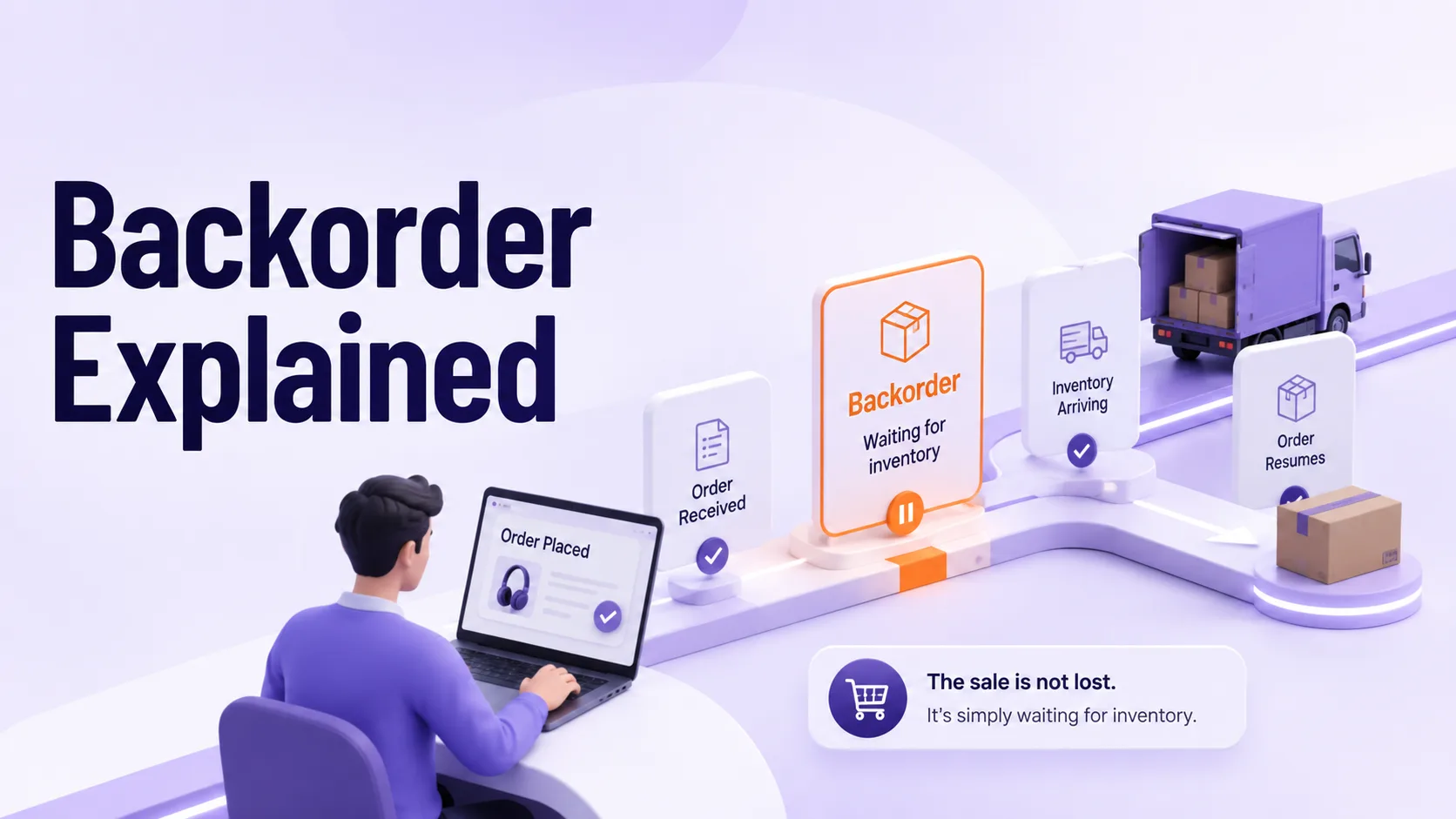
A shopper is checking out the product and, instead of the usual confirmation, receives an unexpected message: “This item is on backorder.” Does that mean they’re still getting billed as usual? Will it actually ship? How long are they supposed to wait?
A backorder handled well isn’t a failure. It’s a way to hold onto a sale while the inventory catches up, instead of letting that customer buy from your competitor, who may have the product in stock.
This guide explains backorders, how they differ from pre-orders and waitlists, and how businesses can manage them without sacrificing customer trust or revenue. Plus, you will learn roughly how long a backorder takes to clear, how to calculate a backorder rate, and what keeps a return order from turning into a lost customer.
Short version: A backorder is a confirmed, often already-paid order for something that isn’t in stock yet, with a promised ship date once inventory arrives. Out of stock is different. There, no order gets placed at all.
What Is a Backorder?
A backorder is an order a business accepts for a product it does not currently hold in physical inventory. It is backed by a commitment to ship as soon as new stock arrives from a supplier or a production run.
The customer completes checkout, and then payment is authorized or charged. After that, the order is confirmed in the system, and the only remaining element is a unit that is physically available for picking and packing.
The backorder meaning implies that the transaction proceeds despite temporary inventory shortages. The business is committing to future fulfillment, not merely future availability.
Once an order is placed, what does backorder mean in practice for the buyer?
- The order is confirmed and, in most cases, already charged or authorized.
- Shipment is delayed until the replenishment stock arrives and is processed.
- The seller should provide an expected ship date so the customer can determine whether to wait.
- Cancellation before shipment is typically available, though the specific policy varies by retailer.
A detail worth noting: Numerous sellers purposely wait to charge until your product is ready to ship, not at the time of when you click the Buy button. This reduces the risk of payment issues and chargebacks if the backorder timeline changes. However, it needs a payment processing system to authenticate the card without charging the full amount at checkout.
Backorder vs Pre-Order vs Waitlist
These three terms are frequently used interchangeably, and that is a mistake with real consequences for both customer expectations and internal demand reporting.
| Term | Product History | Payment | What It Signals |
| Backorder | It was once in stock, sold through, and restocked. | It is usually charged or authorized at checkout. | A current product may have a temporary supply gap |
| Pre-order | This has never shipped to any customer. | It is often charged, sometimes with a deposit. | A new product’s first production run. |
| Waitlist | May or may not have existed before. | Typically no charge. | Registered interest; no order placed yet. |
| Dropship (vendor-fulfilled) | Never physically held by the seller. | Charged at checkout. | A third party fulfills it; the seller never stocks it. |
How a Backorder Actually Works?
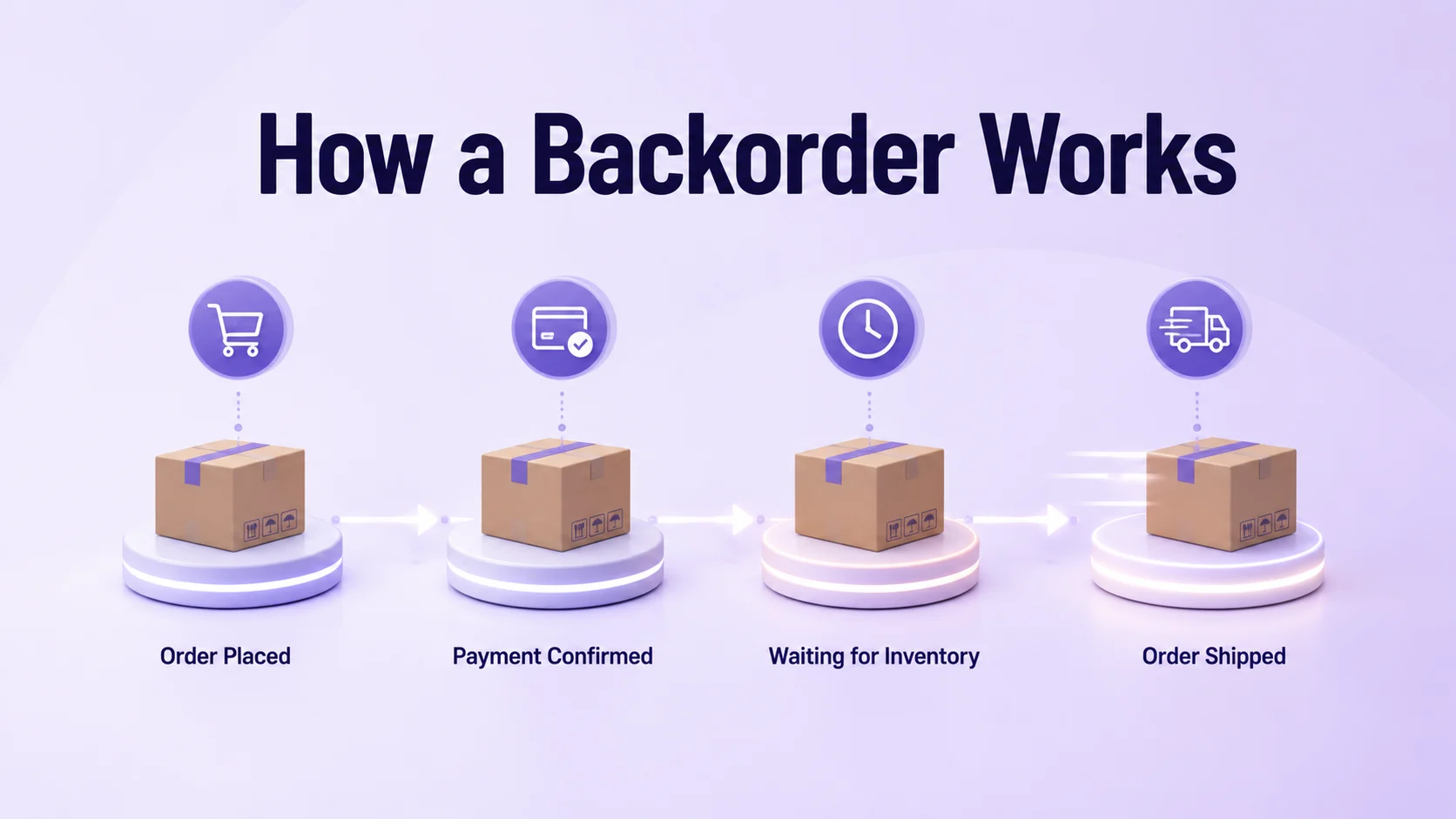
- A customer places an order for an item with zero units on hand. The system still accepts it rather than rejecting the order completely.
- The order management system flags the order as backordered. Moreover, it separates those orders that can ship immediately.
- Procurement or production status is checked against a realistic expected ship date.
- When replenishment stock becomes available at the warehouse, backordered orders are typically arranged in the sequence they were placed so that earlier buyers are not pushed behind later ones.
- The order is picked, packed, shipped, and the customer is notified that fulfillment is complete.
This process depends on real-time synchronization across inventory, procurement, and order management systems. When that visibility breaks down to a certain point, the ship date you gave the customer becomes inaccurate, and that’s where most backorder complaints come from.
Backorder vs Out of Stock
Understanding this distinction helps businesses choose the right inventory strategy.
| Factor | Backorder | Out of Stock |
|---|---|---|
| Can the customer still buy it? | Yes, the order goes through. | No, purchasing is turned off. |
| Payment | Usually authorized or charged. | Nothing to charge and no order exists. |
| Effect on revenue | Revenue is captured, and fulfillment waits. | Revenue is gone, probably to a competitor. |
| Customer commitment | They’ve agreed to wait. | No commitment at all. |
| What it tells you about demand | Confirms real, countable demand. | Demand is a guess at best. |
| Usual cause | A supply delay with a real replenishment plan. | No confirmed restock date. |
Backorder keeps demand tied to future supply. On the other hand, being out of stock only affects the transaction. Businesses that manage backorders strategically protect revenue, maintain customer trust, and reduce lost sales.
Advantages of Offering Backorders
- Revenue retention: Sales are captured immediately for high-intent, high-value purchases.
- Confirmed demand signal: A backorder proves a customer was willing to commit and wait. It provides planning teams with a far more reliable data point than an out-of-stock page view ever could.
- Lower carrying cost: Businesses can maintain leaner inventory levels and still capture sales during a temporary gap. Also, they free up warehouse space and working capital that would still be tied up in unsold stock.
- Perceived exclusivity: For premium, niche, or limited-run products, a wait can strengthen desirability, provided the timeline is fulfilled.
- Smoother demand rises: During a promotion or an unexpected sales spike, backorders allow a business to keep selling instead of shutting down a product page entirely.
Disadvantages of Offering Backorders
Trust Weakens If Timelines Slip
A missed ship date damages credibility more than an honest out-of-stock label would. The customer was given a specific promise, and breaking it reads as a failure rather than a limitation.
Higher Customer Service Load
Backordered items account for a disproportionate share of status inquiries. Every open backorder is a standing question in the customer’s mind, which adds cost and workload pressure to support teams.
Cash Flow Strain
If payment is not collected until shipment, revenue recognition is delayed even though the sale is technically closed. This creates a gap between booked demand and realized cash flow.
Added Operational Complexity
Allocation sequencing, partial shipments, and status updates require more coordination than a simple in-stock order. Each open backorder adds a moving part that must be tracked until it is resolved.
Rising Cancellation Risk Over Time
The longer a backorder remains open, the more likely a customer is to cancel, request a refund, or leave a negative review, regardless of the original cause. Patience has a shelf life, and it is shorter than most businesses assume.
Why Backorders Happen: Common Causes
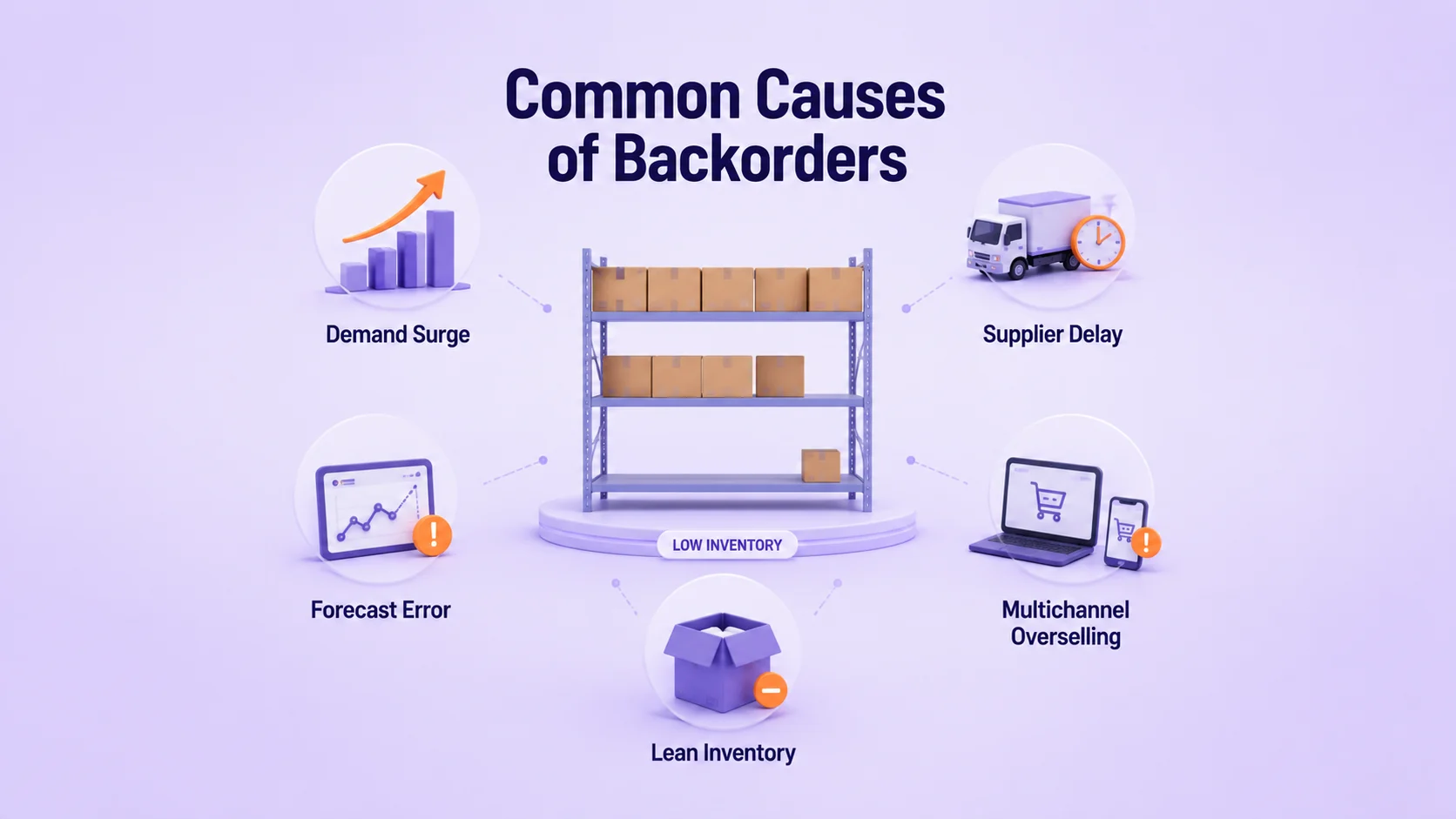
Backorders rarely occur without a traceable cause. They typically stem from one or more of the following:
- Demand forecasting gaps: Sales outpace what was ordered or produced, often during promotions, seasonal spikes, or unexpected surges in popularity that historical data did not predict.
- Supplier and production delays: Raw material shortages, factory bottlenecks, or shipping disruptions delay replenishment beyond the original plan.
- Lean inventory strategy: Some businesses intentionally hold minimal stock to control carrying costs, accepting more frequent backorders as a deliberate tradeoff.
- Multichannel overselling: The same inventory is listed across marketplaces without real-time synchronization, resulting in combined demand across channels exceeding actual availability.
- New product uncertainty: Launch volumes are difficult to predict, so an initial production run frequently sells through faster than forecasted.
Businesswire’s supply chain research found that 90% of logistics managers identify inefficient inventory planning as the leading cause of delivery delays. It places forecasting accuracy at the center of the backorder problem.
How Long Do Backorders Take?
It depends on where the shortage sits in the supply chain. In addition, these are the ranges enterprise teams generally plan around.
| Scenario | Typical Timeline | Main Factor |
|---|---|---|
| Domestic supplier restock | 1 to 2 weeks | The product already exists, short transit |
| Overseas manufacturing restock | 3 to 6 weeks | New production run plus ocean or air freight |
| New product launch surge | 4 to 12 weeks | Manufacturing hasn’t caught up to demand yet |
| Seasonal or raw material shortage | 6 weeks or longer | Sourcing constraints, suppliers prioritizing other clients |
| Custom or made-to-order items | Varies widely | Production doesn’t start until the order is placed |
Most retailers set a rough ceiling of about 30 days on an open backorder before revisiting or canceling it, since cancellations climb fast past that point. Base every estimated ship date on verified supplier lead times rather than assumptions. People forgive a specific, accurate date far more easily than a vague one that keeps moving.
How to Calculate Your Backorder Rate?
Backorder rate is the standard metric for tracking how often demand outruns available inventory.
Backorder Rate = (Orders Delayed Due to Backorder ÷ Total Orders Placed) × 100
Suppose that an online retailer gets 1,000 orders in a month, and 50 of them can’t be shipped from current stock. It’s a 5% backorder rate.
As a rough industry benchmark, anything under 5% is generally seen as manageable, though the right number depends on your category and how patient your customers actually are. If the rate keeps climbing well past that, it’s usually a sign that inventory forecasting or supplier reliability needs attention before it gets worse.
Worth tracking alongside it:
- Fill rate: The share of orders shipped right away from stock on hand.
- Out-of-stock rate: The share of stock items remains at zero, whether or not you’re accepting backorders on them.
Best Practices to Handle and Minimize Backorders
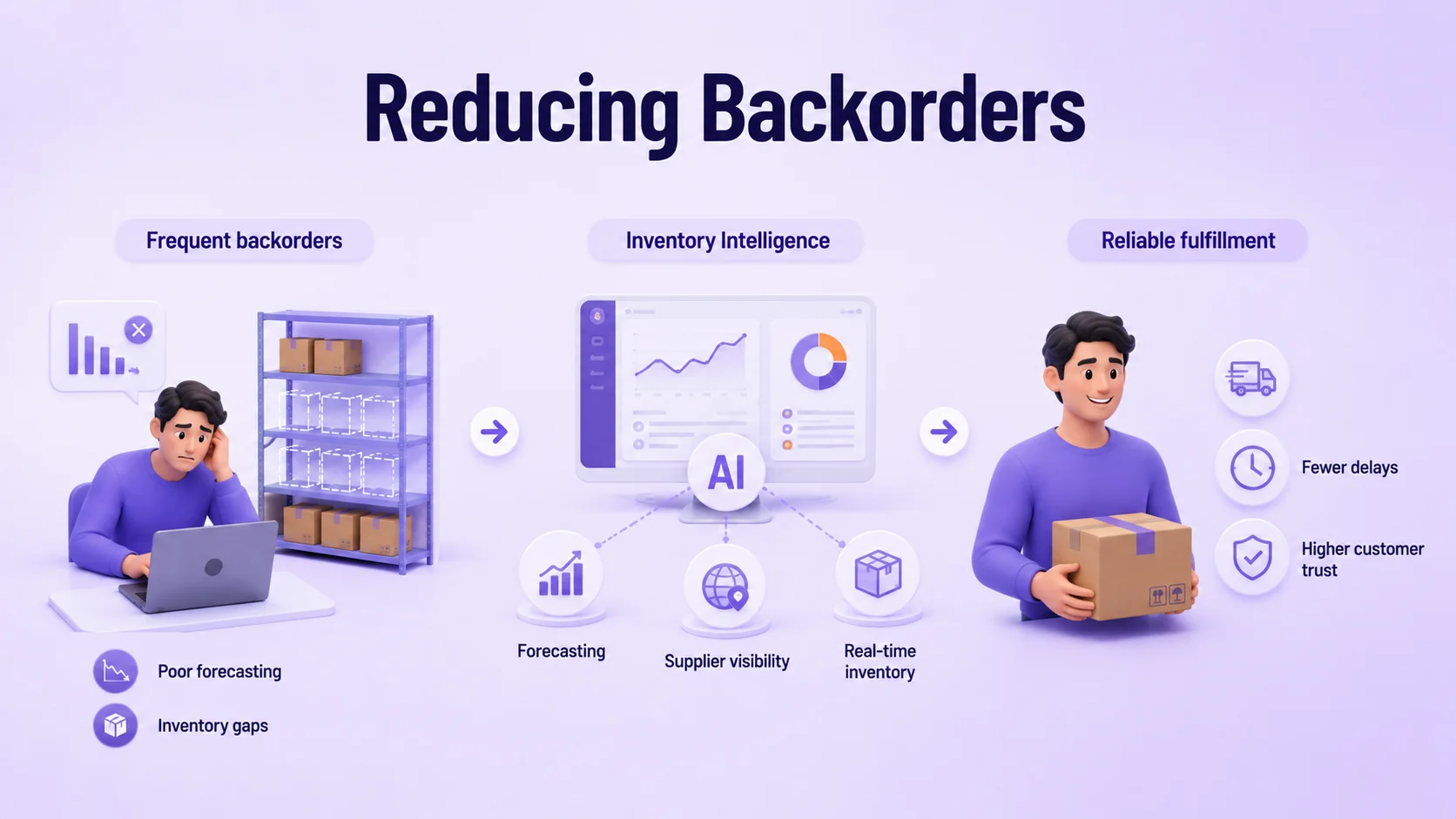
Here are some effective practices to reduce backorders.
- Improve demand forecasting accuracy: Forecasts shaped by real-world trends catch demand shifts earlier by leveraging seasonality patterns, historical sales data, and promotional calendars.
- Synchronize inventory: Real-time omnichannel ecommerce platform timing ensures that available-to-promise (ATP) quantities exactly reflect on-hand inventory.
- Dynamic Safety Stock: Set adaptive safety-stock thresholds for high-speed items, since a flat buffer fails for products with significantly different demand patterns.
- Communicate proactively: Giving a specific estimated ship date reduces both cancellations and support inquiries.
- Prioritize allocation logic: Fulfill backordered items in the order they were placed once stock arrives, keeping the process fair and predictable for customers.
- Review supplier lead times regularly: Outdated lead time assumptions are among the most common causes of missed backorder commitments.
How to Communicate a Backorder to Customers?
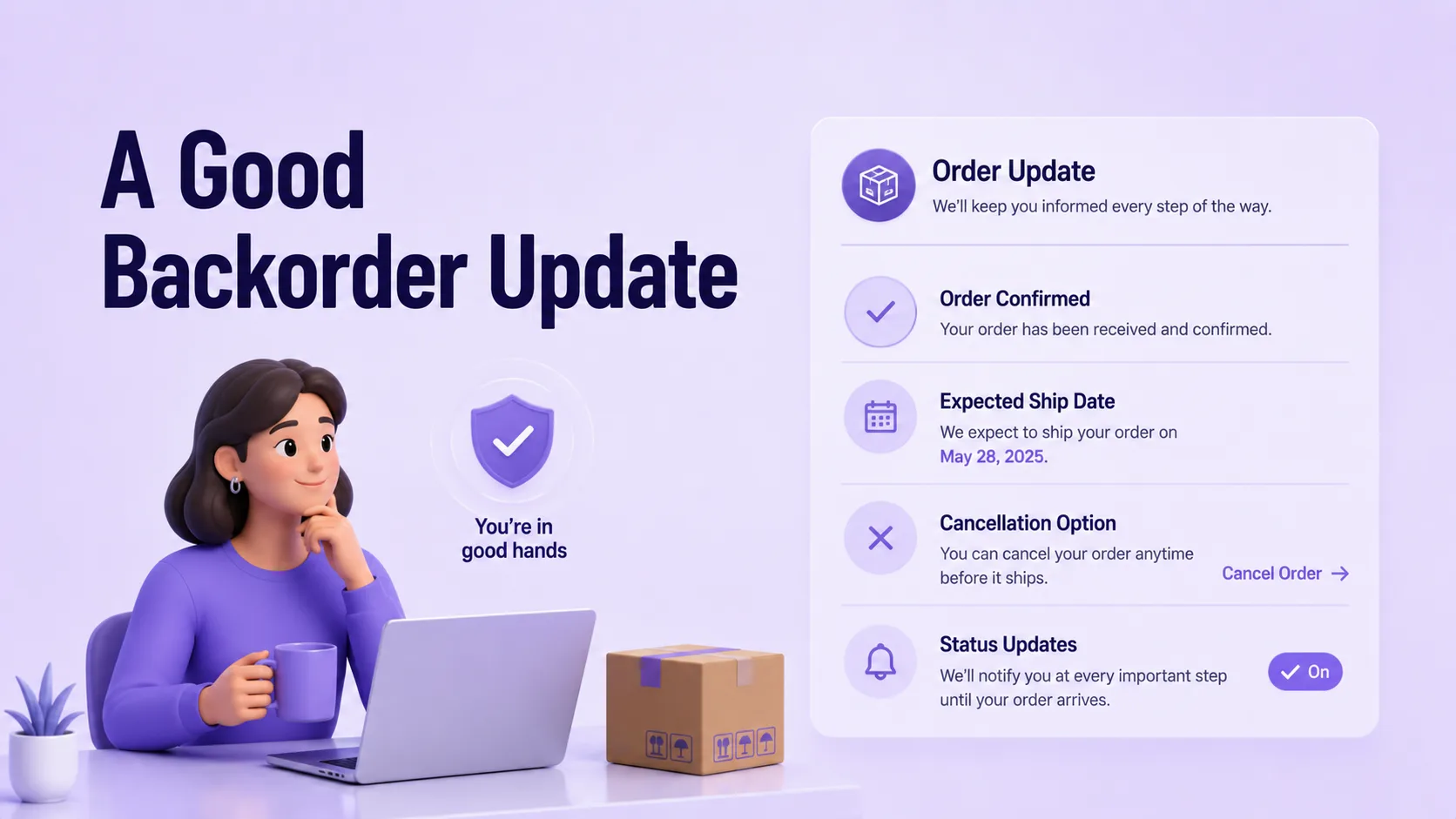
An effective backorder notice includes four elements:
- Confirmation that the order was received and its payment status,
- A specific and realistic revised ship date,
- A clear and free method to cancel,
- And a statement of what happens by default if the customer does not respond.
Let’s take an example: “Your order is confirmed. Due to a supplier delay, it is now expected to ship by [date]. If you would prefer not to wait, you may cancel for a full refund anytime before it ships by replying to this email or visiting [link].
Conclusion
A backorder is not simply another term for out of stock. It is a planned decision to keep a sale alive while inventory catches up to demand, one that carries clear advantages and real risks depending on how well it is executed. Businesses clearly separate these concepts, communicate delays honestly, and back their promises with accurate lead-time data, turning backorders into a retention tool rather than a churn risk.
The businesses that struggle most with backorders rarely do so because demand does not exist. Fragmented visibility across inventory, orders, and suppliers limits forecasting accuracy, increases fulfillment delays, and negatively impacts customer satisfaction and revenue.
How Does SPXCommerce Help?
SPXCommerce gives enterprise retailers and brands a single, real-time view of inventory, orders, and supplier status across all channels. Plus, backorder decisions are based on actual data rather than estimates.
Instead of manually reconciling stock counts across marketplaces, warehouses, and ERP systems, teams using SPXCommerce can instantly see available-to-promise inventory. They can set accurate customer-facing ship dates and automatically prioritize fulfillment as replenishment stock arrives.
The result is fewer surprise stockouts and shorter, more reliable backorder windows. The result is fewer unexpected stockouts, shorter, more reliable backorder windows, and a consistent customer experience, even when products are temporarily unavailable.