Your sales team spends too much time dealing with order emails. Your B2B buyers don’t want to wait until office hours to check an invoice status. A reorder that should take 30 seconds can instead turn into a five-email thread. Sound familiar?
For thousands of wholesale distributors, manufacturers, and B2B marketplace operators, this is the everyday experience of those still behind the curve, using spreadsheets, phone calls, and legacy ERP screens to serve customers in this marketplace.
The true cost extends beyond operational expense to competitive disadvantage. Your team answers common questions, but your buyers are on the sidelines comparing other options that handle midnight orders, in-stock availability, and let them manage their own account without speaking to anyone on the phone.
This is directly addressed by a well-designed B2B self-service portal. It leaves routine purchasing tasks to the buyer while maintaining control without ceding it up the chain. The outcome: reduced support expenses, quicker order cycles, and repeat buyers because it’s just easier to use your platform.
This guide breaks down what a B2B self-service portal really is, examples of how it works, and best practices to help you distinguish between portals that get used and those that get abandoned.
What Is a B2B Self-Service Portal?
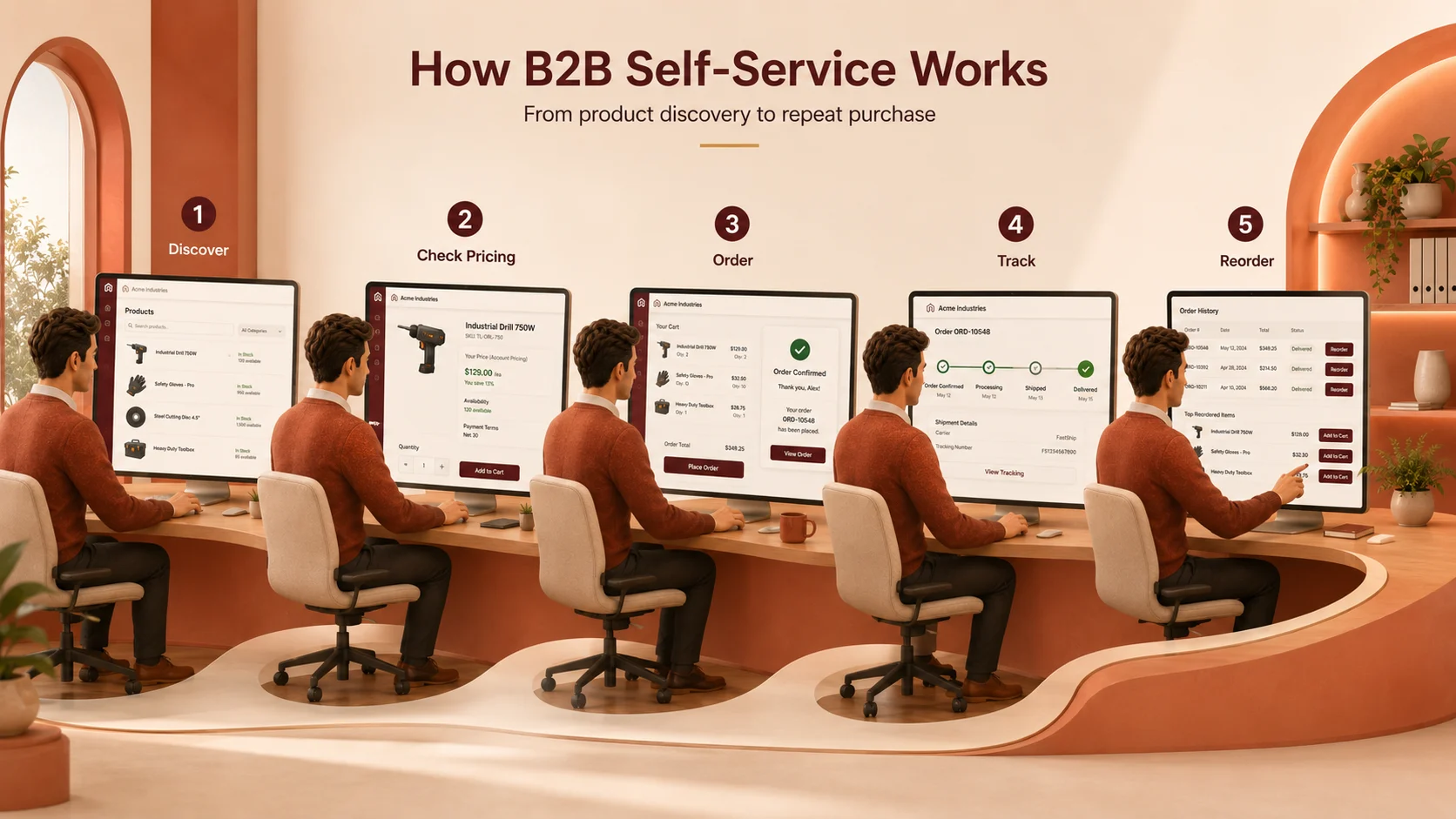
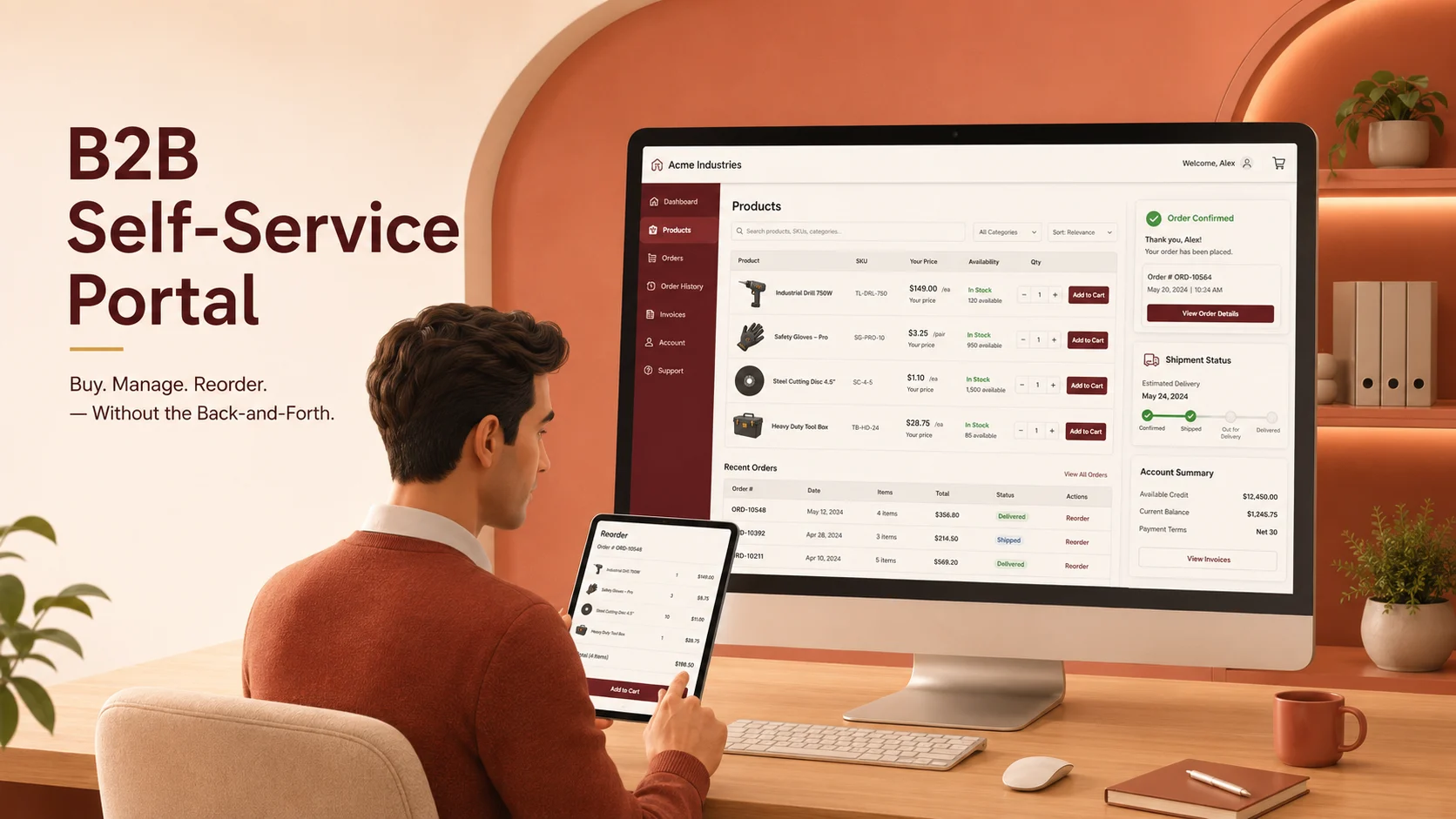
A B2B self-service portal is an online, secure site that lets business purchasers handle their entire business-to-business purchasing process without reaching out to your sales or support staff for basic tasks.
Imagine that when a consumer logs on to Amazon and reorders something without reaching out to customer service, your wholesale buyers do the same on your portal. The difference is that B2B portals are much more complex with account-specific pricing, minimum order quantities (MOQs), multi-location shipping, net payment terms, and multi-user account structures.
A 2024 Gartner survey found that 61% of B2B buyers want a rep-free buying process for mundane items. And 27% are comfortable placing a single online order of $500,000 or more.
The transformation is already taking place across modern B2B purchasing operations. Those raised on consumer apps and now in procurement also expect the same ease of use from their wholesale vendors.
Why Does B2B Self-Service Matter in 2026?
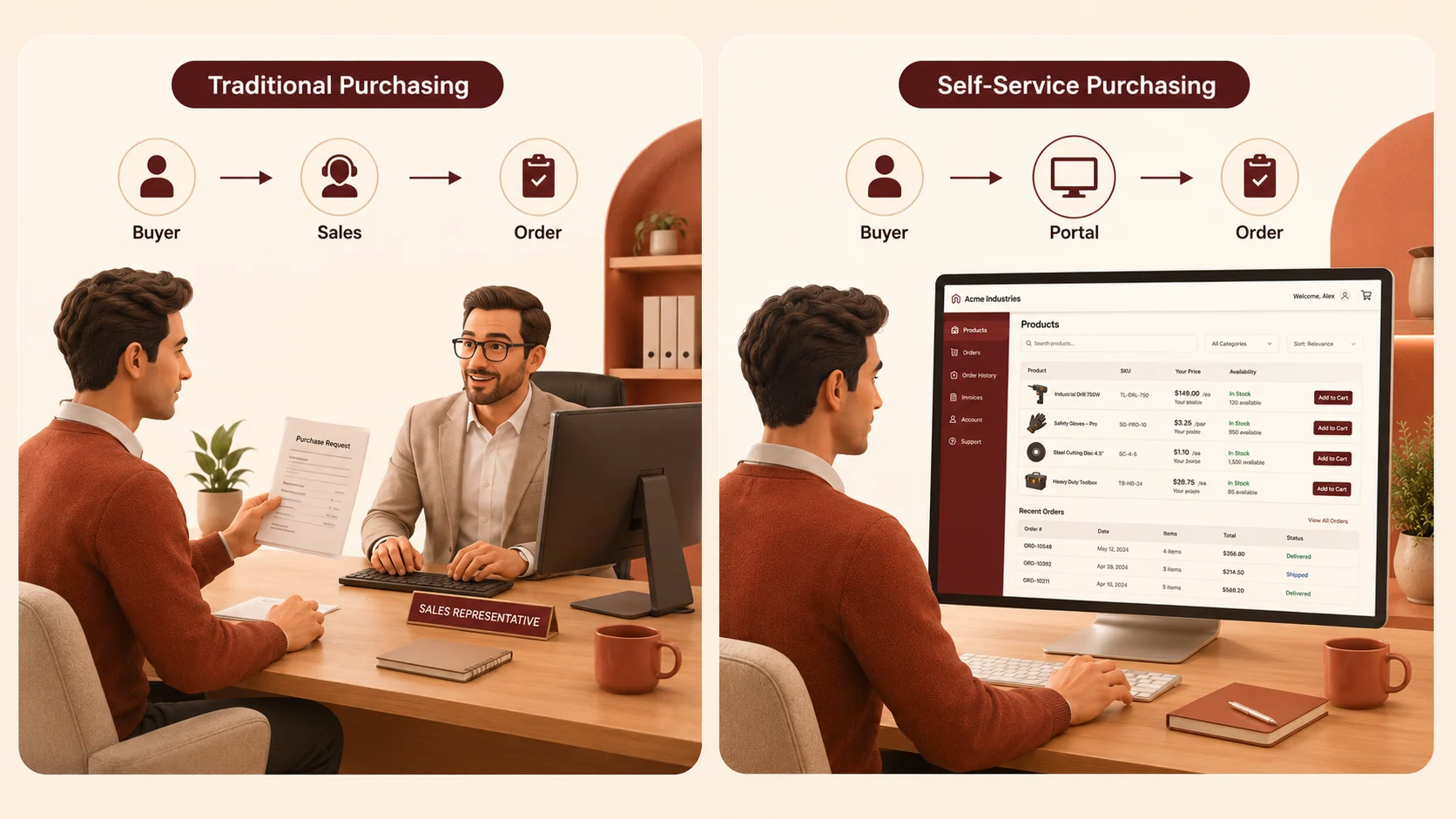
The old B2B business model, in which B2B reps completed quotes, took phone orders, and sent POs by email, was the only way the business could operate. That world is gone. Today’s B2B buyer conducts their own product research, demands real-time inventory visibility, and expects to close a deal on their timeline, not yours.
There are a number of forces all coming together:
- Today, millennial and Gen Z buyers have much more control over their money, and digital-first experiences are no longer optional.
- Global supply chains require access to orders around the clock, not 9-to-5 sales rep access.
- Manual order management (data entry mistakes, CS telephone calls, email chasing) can add up quickly as order volumes grow.
- Standards are getting higher at multi-vendor marketplaces, and if your competitors have a portal and you don’t, you are losing deals you don’t even see.
- A self-service B2B ordering portal addresses all four pressure points.
What Are the Key Benefits of B2B Self-Service?
A B2B self-service portal streamlines the buying process for everyday tasks and reduces manual effort and support expenses for businesses. Some of the benefits are:
1. Lower Operational Cost
Automated order entry, invoice delivery, and status updates can save 60-70% of manual administrative work, freeing employees for higher-value tasks.
2. Faster Order Cycles
Customers never have to wait for hours for their repeat orders. No need to wait for the “stock check” or “quote” from a representative for a “standard SKU”.
3. Higher Buyer Satisfaction
Convenience drives loyalty. Easier-to-manage accounts are churned out less by buyers and ordered more regularly.
4. Richer Customer Data
Behavior data is collected for every click, order, and session and then used to personalize catalogs, forecast reorders, and target upsells.
5. Scalable Growth
A portal that processes 100 orders processes 10,000 orders in the same manner. You increase profits without the need to hire staff.
6. 24/7 Availability
Any orders placed at 2 AM from a different time zone will be treated as if they were placed at that time. No need to wait for the payment to be made, no need to submit a rep, and no lost revenue.
What Are the B2B Self Service Portal Essential Features?
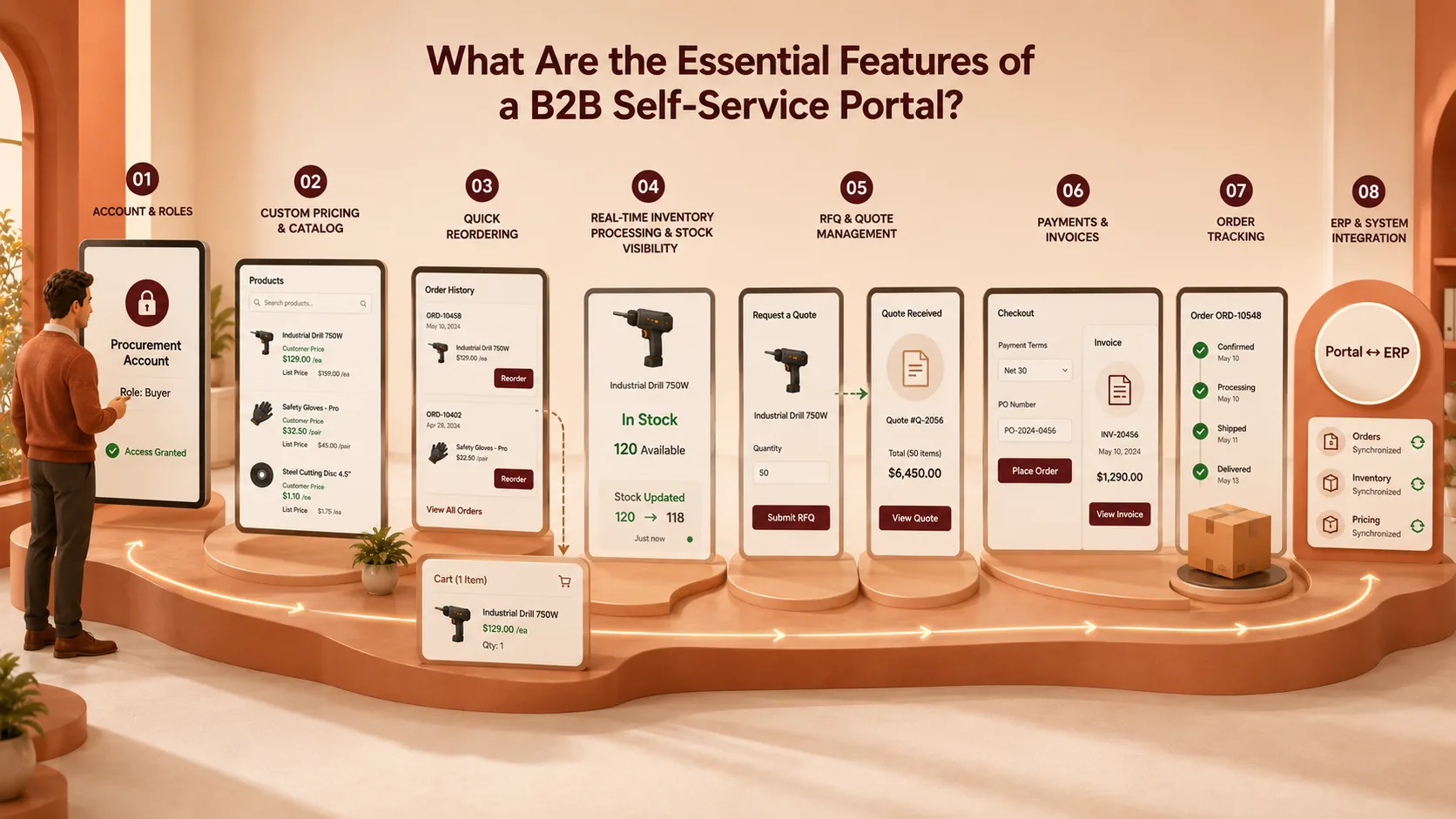
Not all portals are created equal. The key difference between a portal that buyers love and one they don’t is how it integrates its features into real-world B2B buying processes. A serious b2b self service portal solution should contain the following:
1. Account-Based Access & Role Management
B2B accounts aren’t just individuals, and there are companies with multiple buyers, approvers, and locations. Your portal should support role-based access: a procurement manager can view pricing data and approve orders, while a purchasing clerk can only browse and add items to their cart. This reflects real-world corporate purchasing models.
2. Custom Pricing & Catalog Visibility
Usually, each buyer account is negotiated for pricing, volume tiers, contract rates, etc, or exclusive access to a product. Each buyer shall be issued a separate catalog from the portal, and the prices and product set shall be determined separately for each agreement. Exhibiting a list price to a customer with net-60 terms and a 20% volume discount is a sure way to lose their trust and confidence.
3. Quick Reordering & Order History
Most B2B transactions are repeat purchases. One of the strongest features for improving buyer retention is a one-click reorder from order history or a saved shopping cart for regular products. If it will take a couple of clicks to reorder, customers will contact your sales staff and will NOT like it.
4. Real-Time Inventory Processing & Stock Visibility
A buyer who adds 500 units to a cart only to receive a backorder notification after checkout has a poor purchasing experience. Real-time stock levels, pulled directly from your ERP or WMS, prevent this and set accurate expectations from the start.
5. Quote Request & RFQ Management
Not all orders are direct to checkout. Orders for complex/large products would typically begin with a quote request. Your portal should also support RFQs (Requests for Quote), internal review, and converting an accepted quote directly to an order.
6. Flexible Payments & Invoices.
Net 30, net 60, partial deposits, credit limits B2B payments are not like a consumer checkout. The portal should accommodate account-specific payment terms, entry of purchase order (PO) numbers, and a complete invoice history with download capabilities. You don’t want customers sending messages to your finance department asking for PDFs of previous months’ invoices.
7. Order Tracking & Shipment Visibility
Real-time shipment tracking, automated status messages, and a clear delivery schedule are expected. Each “where is my order?” inquiry is a window feature that is either missing or hard to find.
8. ERP & System Integration
Without integration between inventory, pricing, order management, and the portal, businesses risk creating a disconnected customer experience. Deep ERP and CRM integration means data transfers in both directions: orders entered in the portal sync to fulfillment, while inventory changes sync back to the portal in real time.
| Feature | Why It Matters | Without It |
|---|---|---|
| Role-Based Access | Reflects corporate purchasing decision-making processes | Approval delays, risk of security issues |
| Custom Pricing Catalogs | The negotiated prices are offered to each buyer only. | Pricing conflicts, loss of trust, |
| One-Click Reorder | Accelerates repeat business (60-80% B2B business volume) | The purchase of routine orders to reps. |
| Real-Time Inventory | Prevents backorder surprises | That delays the fulfillment or creates support tickets. |
| RFQ / Quote Management | Manages complex and/or large order negotiations. | This could result in lost deals due to offline quoting delays. |
| Invoice & Payment Hub | Complete financial transparency for purchasers | Finance staff drowning in emails. |
| ERP Integration | Maintains portal information current and up to date | Errors in data, manual sync operations. |
B2B Self-Service Portal Examples Across Industries
In fact, examples of b2b self-service portals across industries show a common pattern: the best portals are built around real user workflows rather than generic templates.
1. Manufacturing & Industrial Distribution
A B2B marketplace has a hardware vendor that assigns a login to each distributor, with only the product lines they are authorized to sell available, and specific tiered pricing at the SKU level. No calls required when distributors place bulk orders, make warranty claims, and download product spec sheets. Order Processing Time reduced from 3 days to same day.
2. Wholesale Food & Beverage
A food distributor has implemented a self-service B2B ordering system for restaurant groups to handle their weekly ordering independently. It displays real-time availability, highlights substitutions when items are out of stock, and automatically generates invoices upon delivery confirmation. Reconciling accounts payable, which used to take 2 full days a week, is now automated.
3. Healthcare & Medical Supplies
A medical supply company creates a compliant B2B portal for hospital procurement teams to browse the list of approved products (curated by contract), send purchase orders to the supplier with required approval processes, and monitor the products in the purchase order going to specific areas in the hospital.
4. Fashion & Apparel Wholesale
A fashion wholesale platform enables a retailer to browse seasonal lookbooks, pre-checkout orders with enforced MOQ rules, and view size-run availability in real time. All returns/exchanges are processed via the same portal, and a credit note is automatically applied towards the next purchase.
Best practices for B2B Self-Service Portal
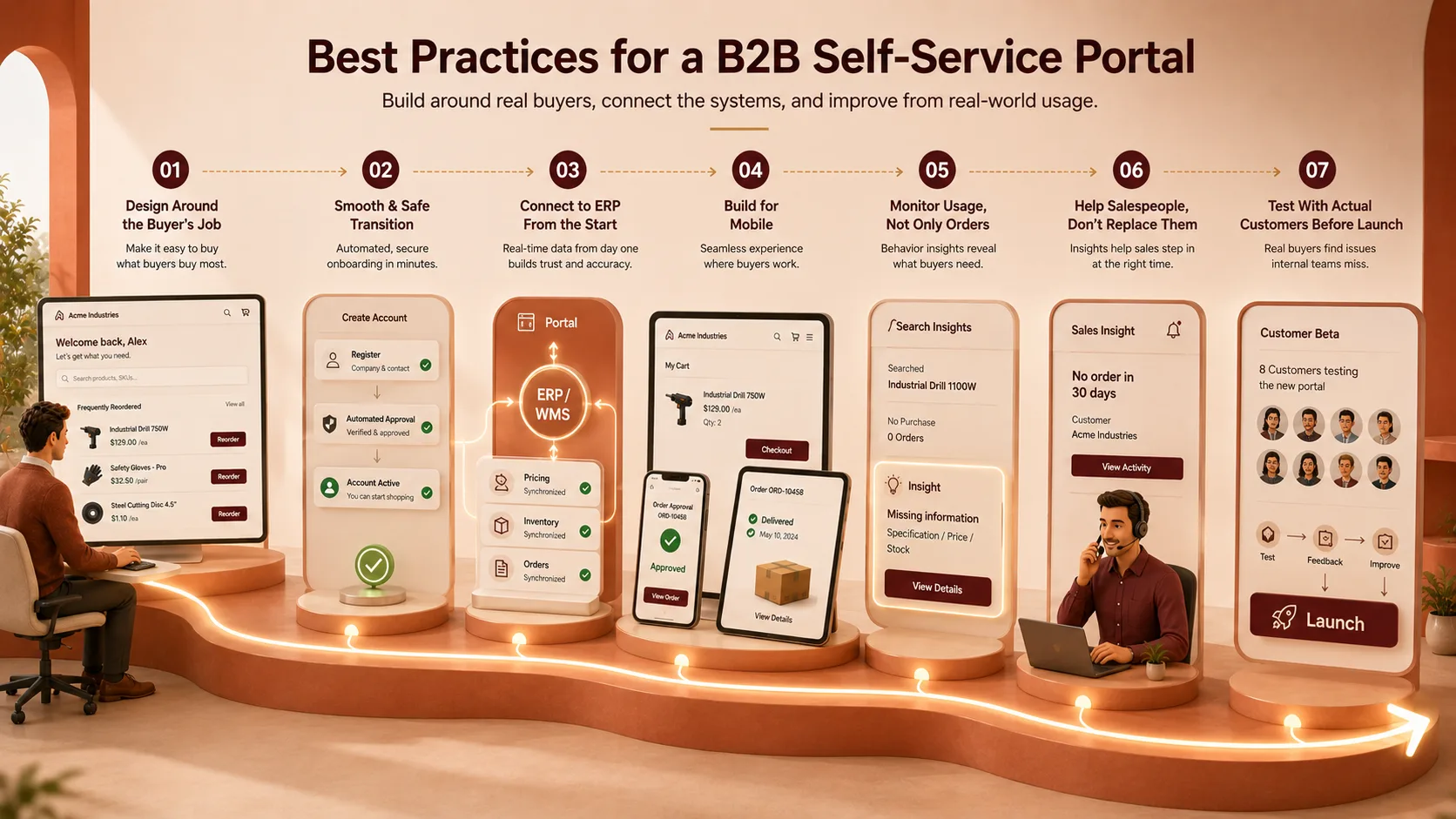
Making the platform go online is the simple bit. While most implementation checklists skip over specifics of operation and design, the portals that actually deliver ROI adhere to a few:
1. Think about the buyer’s job, not your own.
Identify actual buyer behavior from product discovery through the transaction, and design the portal around it. When users log in, the list of the 12 SKUs they commonly reorder should be at the top of the page, not three clicks deep.
2. Ensure a smooth and safe transition.
New account registration should take minutes. Serve company registration forms, with an automated approval process. Manually turning on a buyer’s account is a red flag for any portal that will be a pain to use.
3. Get connected with your ERP system right from the start.
A portal built with static pricing or manually updated is a risk. Any integration with your ERP or WMS must be done in real time, not Phase 2.
4. Build for mobile.
Procurement managers approve orders on their phones. Managers inspect the delivery on a tablet in the warehouse. If your portal is only feasible on desktop, then you have already restricted its use.
5. Monitor usage, not only orders.
Session data, search queries, and cart abandonment all provide insights into where buyers get stuck. If a product is searched for but not ordered, it likely has an information gap (e.g., a missing specification, an uncertain price, or no stock indicator).
6. Help your salespeople, don’t replace salespeople.
The most effective portals provide visibility into buyer activity, allowing the sales rep to follow up when a buyer hasn’t placed an order in 30 days, or to pick up the phone and make a volume upsell when it is obvious they are. Self-service is not in opposition to human support.
7. Test with actual customers prior to launch. Do a closed beta (5-10 key accounts).
They do not take the time to tell you where they got stumped, what they saw they expected, what they didn’t see that is more valuable than months of internal QA.
How Do You Choose the Right B2B Self-Service Portal Solution?
There are plenty of platforms in the market that purport to be “B2B self-service. The true question is whether a platform was designed for B2B complexity or simply slapped together on a B2C eCommerce platform. To check if a website is safe, look for these tips:
| Evaluation Criteria | What to Look For | Red Flags |
|---|---|---|
| B2B-Native Architecture | Account hierarchy, built-in RFQ, MOQ, custom pricing | These features are available only with third-party plugins or custom dev |
| ERP Integration Depth | Bidirectional and real-time integration with top ERPs. | Manual CSV import/export as the “integration” |
| Multi-Vendor Support | Multiple-supplier marketplace capabilities when you’ve got multiple suppliers. | There is no supplier control, only a single vendor. |
| Ownership Model | The company also has source code ownership or no lock-in SaaS terms. | Feature access dependent on subscription level vendor lock-in |
| Scalability | The platform uses a microservices architecture and CDN, supported by demonstrated load-handling capabilities. | Information about infrastructure or load tests is not available |
| Security & Compliance | Access is controlled through roles, role-based access, and certified as ISO 27001, with audit logs. | No certification or general “enterprise-grade security” guarantees |
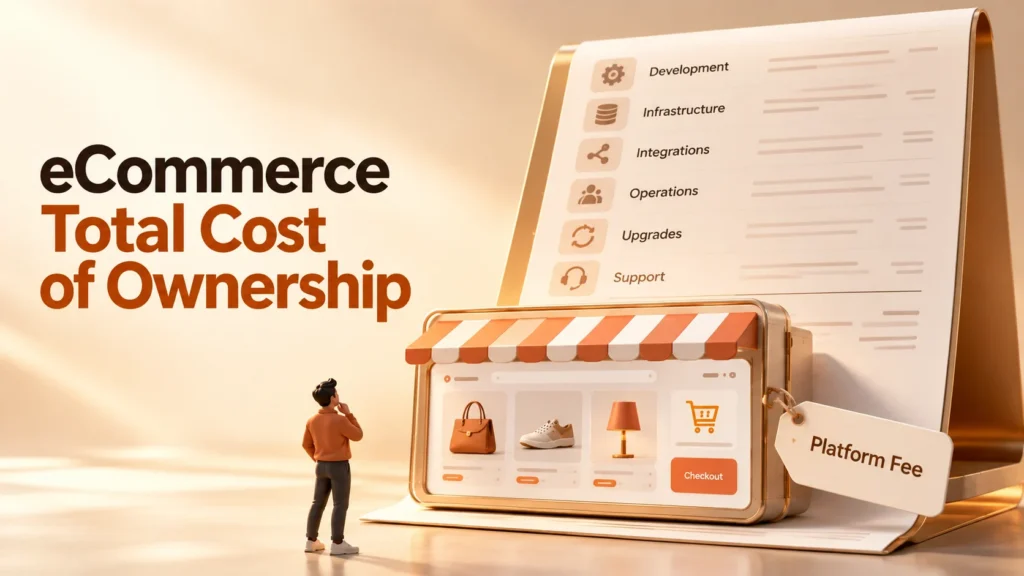
Take the Total Cost of Ownership into account, too. While a low upfront SaaS cost may seem enticing, implementation costs, per-seat licensing, and the ongoing development and customization required to make a consumer-focused platform suitable for B2B applications can quickly offset that advantage.
Platforms designed from the ground up for B2B marketplace and portal applications often provide a quicker return on investment because the underlying features don’t need to be redeveloped.
Why SpxCommerce for Your B2B Portal?
For those running a multi-vendor wholesale marketplace or managing more complex buyer relationships, SpxCommerce offers a sophisticated B2B self-service portal solution for today’s procurement needs.
The platform features role-specific dashboards, built-in RFQ and quote management, configurable approval workflows, tiered pricing, MOQ rules, and account-based catalogs to streamline transactions between buyers and suppliers.
With its Alibaba-style marketplace solution, SpxCommerce enables businesses to build scalable multi-vendor marketplaces with advanced supplier management, flexible pricing, and streamlined purchasing experiences.
Built with microservices and using Elasticsearch, Redis, and Kong API Gateway, it enables high-performance operations. The platform does not charge subscription fees and supports ISO 27001:2022 certification and self-hosted deployment to help address data residency requirements.
SpxCommerce is a production-ready, customizable marketplace development platform for businesses launching or modernizing their B2B portal, offering AI-powered analytics, workflow automation, multilingual content, and conversational search.
Conclusion
A B2B self-service portal is no longer a nice-to-have; it has become a competitive advantage for modern B2B organizations. It gives buyers 24/7 access to product information, pricing, stock, orders, invoices, quotes, and shipping.
The right portal also reduces manual tasks and enables businesses to deliver a streamlined, efficient purchasing experience. Today’s B2B customers expect features like account-based pricing, role management, ERP integration, approval workflows, and real-time inventory.
As B2B buying shifts more toward digital, companies that prioritize self-service can boost customer satisfaction and loyalty, optimize processes, and scale more efficiently.
With SpxCommerce, you can build a future-proof portal with the B2B-native features, integrations, and flexibility needed to streamline procurement and create a seamless experience for buyers and suppliers.